



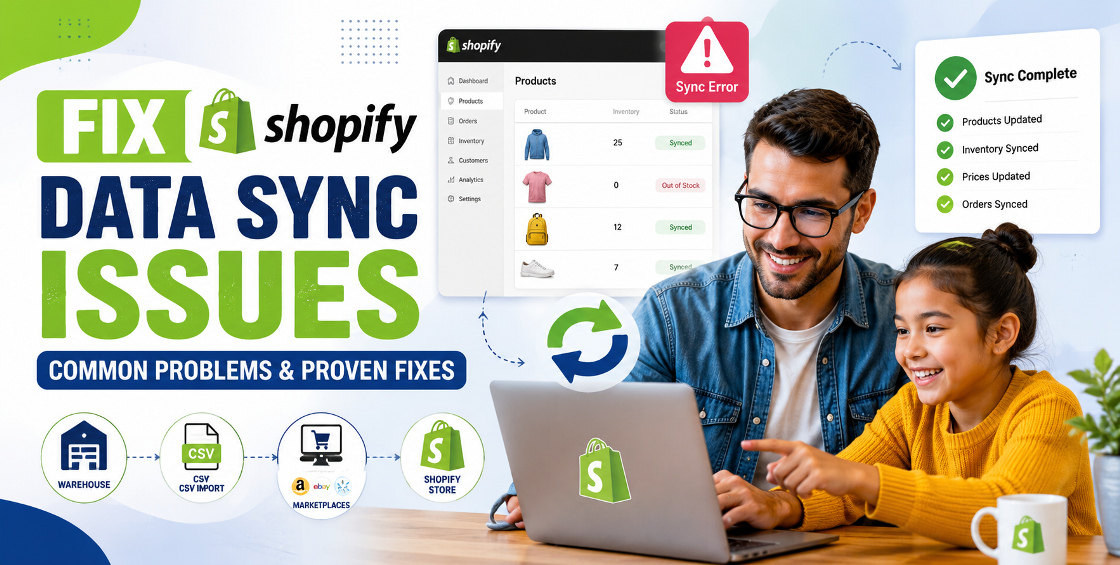
Running a Shopify store is much easier when your product data, inventory, pricing, and orders stay perfectly synchronized. But in reality, data sync issues are one of the most common reasons ecommerce businesses experience overselling, incorrect product information, delayed fulfilment, and frustrated customers.
Whether you're selling through Shopify alone or managing products across Amazon, eBay, Etsy, Google Shopping, ERPs, warehouses, or supplier systems, even a small synchronization error can create a ripple effect throughout your business.
We've worked with Shopify stores ranging from a few hundred products to catalogs containing tens of thousands of SKUs. One thing we've learned is that data sync problems are rarely caused by Shopify itself. More often, they're the result of inconsistent product data, integration settings, CSV formatting issues, or conflicting updates between connected systems.
In this guide, we'll walk through the most common Shopify data sync issues, explain why they happen, and share practical solutions that help keep your store running smoothly.
Your Shopify store depends on accurate data flowing between multiple systems. This may include:
When synchronization breaks, problems appear quickly:
The larger your catalogue becomes, the more important reliable synchronization becomes.
Inventory discrepancies are among the most expensive ecommerce mistakes.
Typical causes include:
For example, we've seen stores where inventory updates from a warehouse system were overwritten every hour by an outdated CSV import. Everything looked correct initially, but stock levels became inaccurate throughout the day.
Sometimes product titles, descriptions, prices, or images remain outdated after updates.
This usually happens because:
Instead of updating every product individually, investigate where the synchronization stopped.
Variants create another layer of complexity.
Common issues include:
A single missing variant ID during import can create duplicate products or disconnect inventory tracking completely.
Always use Shopify Variant IDs when updating existing variants rather than relying only on product titles or option names.
CSV imports are powerful but unforgiving.
Some common errors include:
One misplaced comma or extra quotation mark can prevent hundreds of products from importing correctly.
Before importing thousands of products, always test with a small sample file.
Many stores use multiple apps for:
Problems arise when two apps attempt to update the same product fields simultaneously.
Symptoms often include:
Review which application has permission to edit each type of data.
Before connecting any external system, ensure:
Clean product data dramatically reduces synchronization problems.
Integrations evolve over time.
Review:
Many businesses only discover sync failures weeks after they begin affecting orders.
Never upload thousands of products immediately.
Instead:
Once everything looks correct, proceed with the full import.
Before making large changes:
Having a recent backup can save hours—or even days—of recovery work if something goes wrong.
After handling countless Shopify catalog updates and bulk product uploads, we've noticed a few recurring patterns.
First, many synchronization issues originate before the data even reaches Shopify. Supplier spreadsheets often contain inconsistent SKUs, duplicate product names, missing variant values, or image links that no longer work.
Second, businesses frequently connect several automation tools without clearly defining which system should control pricing, inventory, or product information. This creates conflicts that are difficult to trace.
Finally, bulk updates should never be treated as a "set it and forget it" task. Monitoring import logs, reviewing exception reports, and validating a sample of updated products helps catch issues before they affect customers.
A structured workflow may take a little longer upfront, but it significantly reduces costly errors later.
Avoid these common pitfalls:
Small mistakes can quickly become major operational problems as your product catalogue grows.
Reliable synchronization isn't just about fixing errors—it's about creating processes that scale.
Consider establishing:
These habits help maintain accurate product information as your business expands into new sales channels and markets.
Shopify offers a robust platform for ecommerce, but maintaining accurate product data requires more than simply connecting apps or uploading CSV files.
Most Shopify data sync issues stem from inconsistent data, conflicting integrations, or avoidable workflow mistakes. By standardizing your catalogue, testing imports carefully, monitoring integrations, and reviewing synchronization logs regularly, you can reduce errors, protect your customer experience, and support sustainable growth.
Whether you're managing a few hundred products or a large multi-channel catalogue, investing time in clean data management pays dividends in accuracy, efficiency, and customer trust.


Our Trusted Clients
















Our goal is to help our companies maintain achieve best class positions their respective industries & our team works occur that pleasures have to be repudiated.

Copyright © MyShopifyExpert . All rights reserved.