




Running a successful Shopify store isn't just about having great products and an attractive website. As your business grows, you'll likely connect Shopify with inventory systems, ERPs, CRMs, accounting software, shipping platforms, marketplaces, and marketing tools.
That's where things can get complicated.
We've worked with merchants who discovered duplicate orders after connecting their ERP, missing inventory because stock wasn't syncing correctly, and thousands of customer records affected by simple mapping mistakes. In many cases, the integration itself wasn't the problem—the setup was.
Whether you're launching your first automation or connecting multiple business systems, understanding the most common Shopify integration mistakes can save time, money, and unnecessary frustration.
Modern ecommerce stores rely on multiple platforms working together.
A typical Shopify business may integrate with:
When these systems communicate properly, operations become faster and more reliable. When they don't, even small issues can quickly impact customer experience and daily workflows.
One of the biggest mistakes is installing apps simply because they have good reviews.
An app may be excellent but still unsuitable for your workflow.
Before connecting any application, ask:
Planning first prevents expensive migration later.
Many integration failures begin with inconsistent product information.
Examples include:
We've seen stores where "Blue" and "blue" were treated as different values, creating duplicate variants during imports.
Before integrating any external platform, standardize your product catalog.
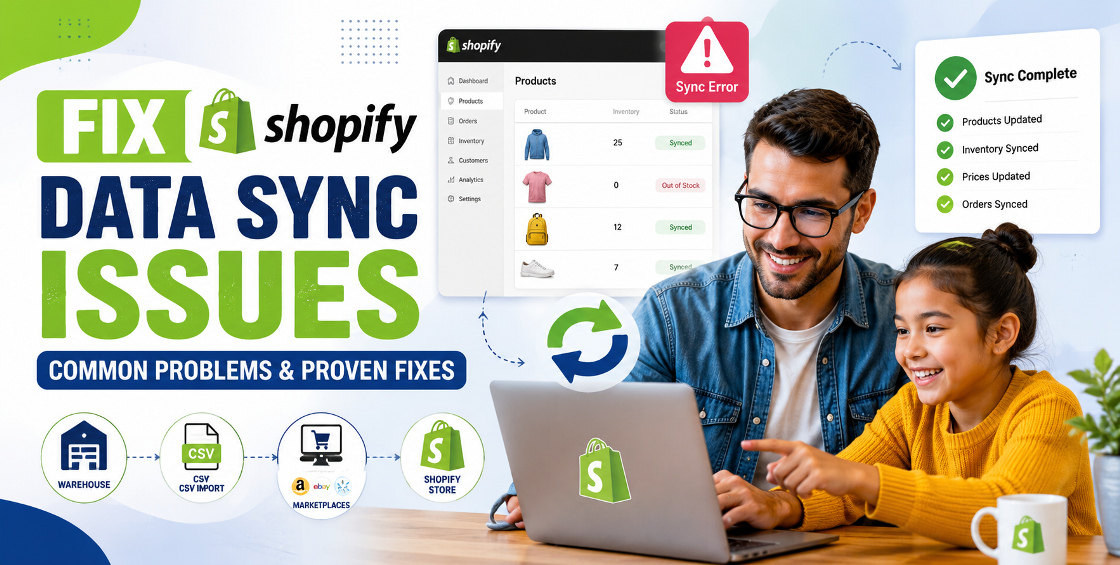
Inventory sync issues are among the most common Shopify integration errors.
Typical problems include:
These issues often occur when several systems try to update inventory simultaneously.
A reliable integration should clearly define which platform is the "source of truth" for stock levels.
Many merchants connect live stores without testing.
That's risky.
Even a small CSV formatting issue or incorrect field mapping can affect hundreds—or thousands—of products.
Before importing:
Testing takes minutes. Fixing a large-scale data issue can take days.
Data mapping tells different systems how fields correspond.
For example:
| Shopify | External System |
|---|---|
| SKU | Product Code |
| Vendor | Supplier |
| Compare-at Price | MSRP |
| Inventory Quantity | Available Stock |
If mapping is incorrect:
Always review mappings before enabling automatic synchronization.
Every additional app adds complexity.
Too many apps can create:
Install only tools that directly support business goals.
Growing stores often connect several systems simultaneously.
Heavy API usage may result in:
Good integration planning includes monitoring API usage and optimizing request frequency.
Before major integration work:
We've seen merchants recover from accidental bulk updates simply because they kept recent exports.
Integrations rarely fail because of Shopify itself.
Most problems happen during implementation.
Some real examples include:
A supplier feed contained inconsistent size values:
The integration created hundreds of unnecessary variants.
A missing SKU caused the importer to create new products instead of updating existing ones.
Result:
A warehouse system updated inventory every 30 minutes while Shopify received marketplace updates every five minutes.
The slower system repeatedly overwrote newer inventory levels.
Common issues include:
Simple spreadsheet mistakes can delay an entire migration.
Avoid connecting every platform on the same day.
Instead:
This approach makes troubleshooting much easier.
As stores grow, it's easy to forget which app updates pricing or inventory.
Maintain simple documentation showing:
Future maintenance becomes much simpler.
Most integration platforms provide logs.
Don't ignore them.
Small warnings often become major problems if left unresolved.
Review logs regularly to catch synchronization failures before customers notice them.
Avoiding these mistakes can dramatically improve operational efficiency and reduce costly disruptions.
To strengthen your website's SEO and improve user navigation, consider linking this article to related service pages such as:
Shopify integrations can transform how an ecommerce business operates—but only when they're implemented with careful planning and ongoing management.
The most successful stores don't simply connect apps and hope everything works. They establish clean product data, test integrations before going live, monitor synchronization, and maintain clear processes as the business grows.
By avoiding these common Shopify integration mistakes, you'll build a more reliable ecommerce operation, reduce manual work, and create a better experience for both your team and your customers.

Our Trusted Clients
















Our goal is to help our companies maintain achieve best class positions their respective industries & our team works occur that pleasures have to be repudiated.

Copyright © MyShopifyExpert . All rights reserved.