



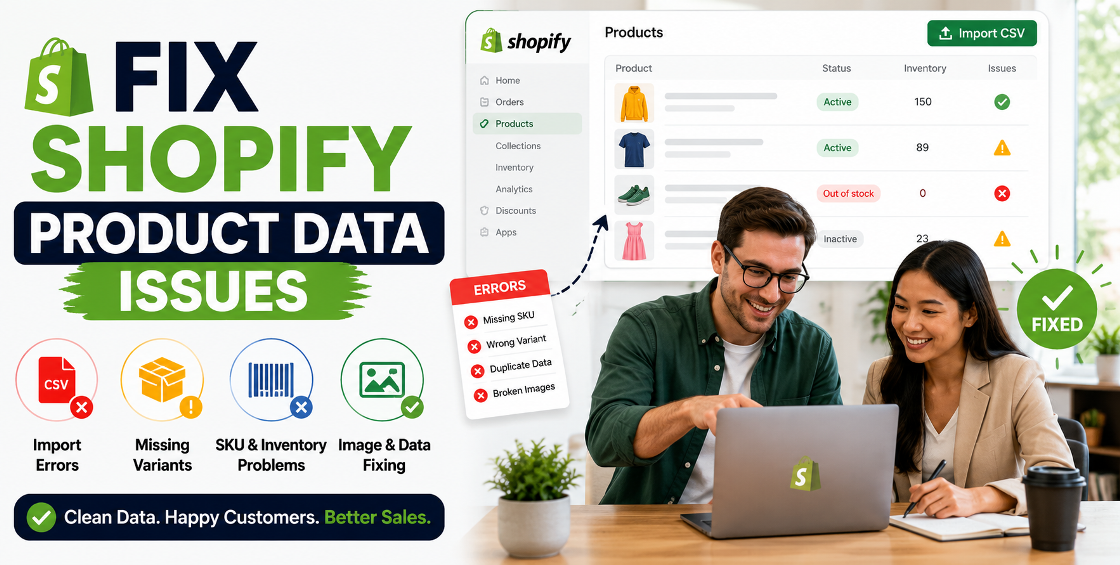
Primary Keyword: Fix Shopify Product Data Issues
Secondary Keywords:
LSI Keywords:
Managing a Shopify store sounds simple until product data starts causing problems.
One day, products are missing images. The next day, variant options stop displaying correctly. Then inventory numbers don't match what's actually available in stock. Before long, customers are seeing incorrect information, abandoned carts begin increasing, and your team spends hours fixing avoidable issues.
We've worked with Shopify stores ranging from small niche brands to large catalogs containing thousands of SKUs, and one thing remains consistent: product data quality directly affects sales, customer experience, and operational efficiency.
Whether you're importing products from suppliers, migrating from another platform, or managing a growing catalog, fixing Shopify product data issues should be a priority.
In this guide, we'll cover the most common Shopify product data problems, why they happen, and how to fix them efficiently.
Many store owners focus heavily on design, marketing, and advertising while overlooking their product database.
The reality is that product data powers nearly everything inside Shopify:
Even small errors can create significant issues.
For example:
Clean product data creates a smoother buying experience and helps your store scale without operational headaches.
One of the most common problems we encounter is incomplete product information after imports or migrations.
This may include:
Many suppliers provide product files that are far from Shopify-ready. Uploading them directly often creates inconsistencies across the catalog.
CSV imports save time, but they can also introduce large-scale issues.
Typical problems include:
A single formatting mistake can affect hundreds or thousands of products during a bulk upload.
We've seen businesses lose hours troubleshooting imports simply because a spreadsheet contained hidden formatting characters or incorrectly structured variant data.
Variants are essential for stores selling products with multiple options such as:
However, variant structures can become complicated quickly.
Customers may see multiple identical options.
Specific colors or styles display incorrect images.
Variant inventory quantities do not align with actual stock levels.
Options fail to connect correctly, causing checkout issues.
Before making corrections, identify the scope of the problem.
Review:
A structured audit often reveals hidden issues that accumulate over time.
Many growing stores discover hundreds of inconsistencies after years of supplier uploads and catalog updates.
Consistency matters.
For example:
Choose one naming convention and apply it across the catalog.
The same principle applies to:
Standardized data improves navigation, filtering, reporting, and search functionality.
When dealing with bulk uploads, validate your CSV before importing.
Check:
A properly formatted CSV dramatically reduces import failures and duplicate records.
For larger catalogs, it's often safer to test a small batch first before uploading thousands of products.
Each variant should have a clear relationship with:
For example:
A "Blue / Medium" shirt should display:
If any of these fields are disconnected, customer confusion follows.
Duplicate variants commonly occur during:
Review product option structures and remove unnecessary duplicates while preserving inventory records.
Simple naming improves usability.
Instead of:
Use:
Clear options help customers make faster purchase decisions.
Product titles should be descriptive and customer-focused.
Avoid:
Product #45892
Instead use:
Men's Waterproof Hiking Jacket – Lightweight Outdoor Rain Shell
This improves both search visibility and customer understanding.
Many stores leave SEO settings untouched.
Optimize:
These fields contribute to stronger organic search performance.
Poor collection organization can hurt both user experience and SEO.
Use logical collection hierarchies based on:
Well-structured collections make products easier to discover.
After managing thousands of Shopify product uploads and catalog cleanups, a few patterns appear repeatedly.
Most supplier spreadsheets require significant cleaning before import.
Blindly uploading supplier files often creates:
Always export a backup before making large catalog updates.
Even experienced Shopify teams occasionally need to restore data after an import issue.
One incorrect product template can affect hundreds of products.
One inventory sync problem can create overselling.
One variant mapping issue can cause customers to purchase the wrong item.
Product data maintenance should be treated as an ongoing process rather than a one-time task.
As catalogs expand, inconsistencies increase.
Always test imports using a small sample first.
Different naming conventions create confusion for customers and internal teams.
Variant issues often go unnoticed until customers report them.
Many stores miss valuable organic traffic because product SEO settings remain incomplete.
Product data is one of the most important yet overlooked components of a successful Shopify store.
Clean product information improves customer experience, strengthens SEO performance, reduces operational errors, and supports long-term growth.
If your store has duplicate products, variant issues, import errors, missing images, or inconsistent catalog data, addressing those problems now can prevent larger issues later.
A well-organized Shopify catalog isn't just easier to manage—it creates a better shopping experience that helps convert visitors into customers.


Our Trusted Clients
















Our goal is to help our companies maintain achieve best class positions their respective industries & our team works occur that pleasures have to be repudiated.

Copyright © MyShopifyExpert . All rights reserved.