



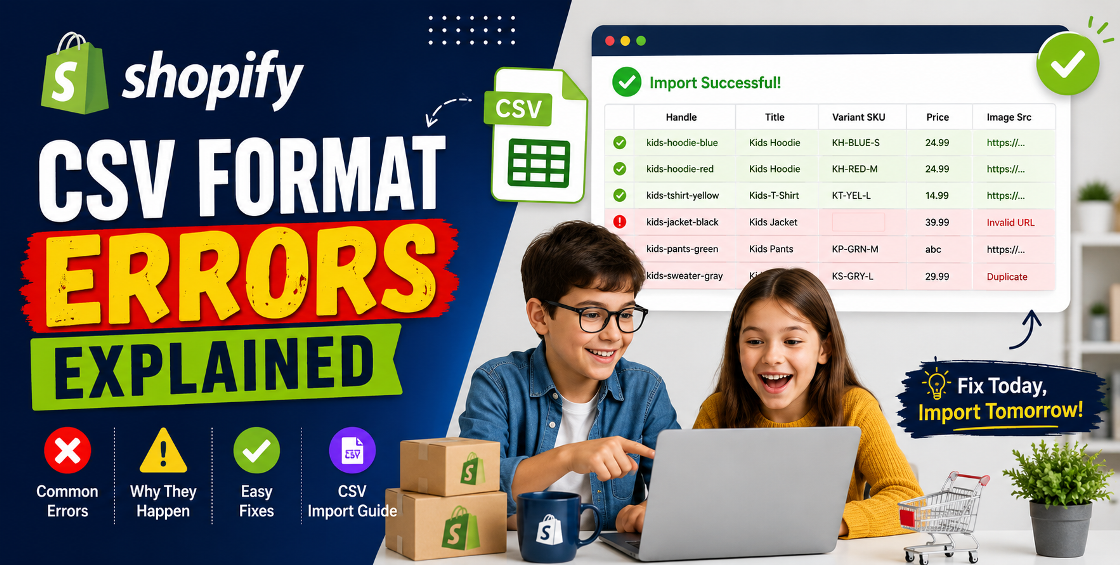
If you've ever tried importing hundreds or thousands of products into Shopify, you've probably experienced that frustrating moment when Shopify rejects your CSV file with an error message that seems vague or confusing.
We've worked with Shopify stores ranging from small startups to large ecommerce brands managing catalogs with tens of thousands of SKUs. One issue appears again and again: CSV format problems during product uploads.
The challenge isn't usually the product data itself. It's often a tiny formatting mistake hidden somewhere in the spreadsheet.
A missing column, incorrect variant structure, extra spaces, invalid image URLs, or even a simple encoding issue can stop an entire import.
In this guide, we'll explain the most common Shopify CSV format errors, why they happen, and how to fix them quickly without risking your product data.
Shopify allows merchants to upload products in bulk using CSV files. This is one of the fastest ways to:
However, Shopify's CSV structure is very specific. Even small inconsistencies can trigger import failures.
Think of a CSV file as a blueprint. If one section doesn't follow Shopify's required format, the entire upload process can break.
One of the most common Shopify CSV format errors occurs when required fields are deleted accidentally.
Shopify expects specific column headers such as:
Many merchants remove columns they believe aren't necessary, only to discover Shopify rejects the file.
Always start with Shopify's official product CSV template or export an existing product file before making edits.
This ensures the structure remains compatible with Shopify's import system.
The Handle acts as a unique identifier for products.
When importing products, duplicate handles can cause products to overwrite existing items or create unexpected import issues.
Incorrect:
Correct:
Review your Handle column carefully before importing.
Many CSV issues occur after merchants merge spreadsheets from multiple suppliers without checking duplicate handles.
Variants are one of the biggest sources of CSV import problems.
We've seen stores spend hours troubleshooting imports because variant rows weren't structured correctly.
| Handle | Title | Option1 Name | Option1 Value |
|---|---|---|---|
| tshirt | Basic T-Shirt | Size | Small |
| tshirt | Size | Medium | |
| tshirt | Size | Large |
Notice that the product title only appears on the first row.
This structure helps Shopify understand all rows belong to the same product.
Shopify imports product images through publicly accessible URLs.
A common issue occurs when image links:
Ensure image URLs:
Before large imports, test several URLs manually.
This issue often appears during international product imports.
Special characters such as:
can trigger errors if the file isn't saved correctly.
Save the CSV file using:
UTF-8 Encoding
Excel and Google Sheets can sometimes alter encoding during export, especially when working with multilingual catalogs.
For stores serving customers across Europe, the UK, Australia, New Zealand, and Gulf countries, checking encoding should always be part of your import process.
Shopify expects clean numerical values.
Extra symbols and regional formatting can create validation issues.
This becomes especially common when suppliers provide spreadsheets formatted for local accounting systems.
SKU-related issues rarely stop imports entirely, but they can create inventory management headaches later.
Common problems include:
Create a standardized SKU structure across your catalog.
Example:
This improves inventory tracking and reduces future import complications.
This is one of the most overlooked CSV problems.
Copying data from:
often introduces hidden spaces or invisible characters.
These can cause Shopify to misread fields.
A quick cleanup step can prevent hours of troubleshooting.
Professional Shopify product managers rarely upload a CSV without testing it first.
Import 5–10 products as a test batch.
Review:
Fix any issues before importing the full catalog.
This approach dramatically reduces the risk of mass product errors.
Most supplier spreadsheets require restructuring before import.
Never assume a manufacturer's CSV will work directly in Shopify.
Stores selling fashion, electronics, furniture, or configurable products encounter more CSV issues because of multiple variant combinations.
A single spreadsheet formula mistake can affect thousands of products.
Always keep a backup copy before making bulk changes.
For stores with 10,000+ products, importing in smaller batches makes troubleshooting significantly easier.
Many merchants import their entire catalog immediately and discover issues afterward.
Small test imports save significant time.
Changing Shopify's default column names can break imports.
Keep header names exactly as Shopify expects.
Improper variant grouping often creates duplicate products.
Review handles and option values carefully.
Image imports frequently fail because URLs are inaccessible or expired.
Always verify links before upload.
Never perform major imports without exporting current product data first.
Backups make recovery much easier if something goes wrong.
Shopify CSV imports can save enormous amounts of time, but even small formatting mistakes can disrupt the process.
Most Shopify CSV format errors stem from predictable issues such as missing columns, duplicate handles, variant setup problems, image URL errors, encoding conflicts, or hidden spreadsheet formatting.
By validating your data, testing imports in small batches, and following Shopify's structure carefully, you can avoid costly product upload mistakes and maintain a clean, scalable catalog.
For growing ecommerce businesses, having a reliable product data process isn't just about preventing errors—it's about creating a smoother experience for customers and a more efficient workflow for your team.

Our Trusted Clients
















Our goal is to help our companies maintain achieve best class positions their respective industries & our team works occur that pleasures have to be repudiated.

Copyright © MyShopifyExpert . All rights reserved.