



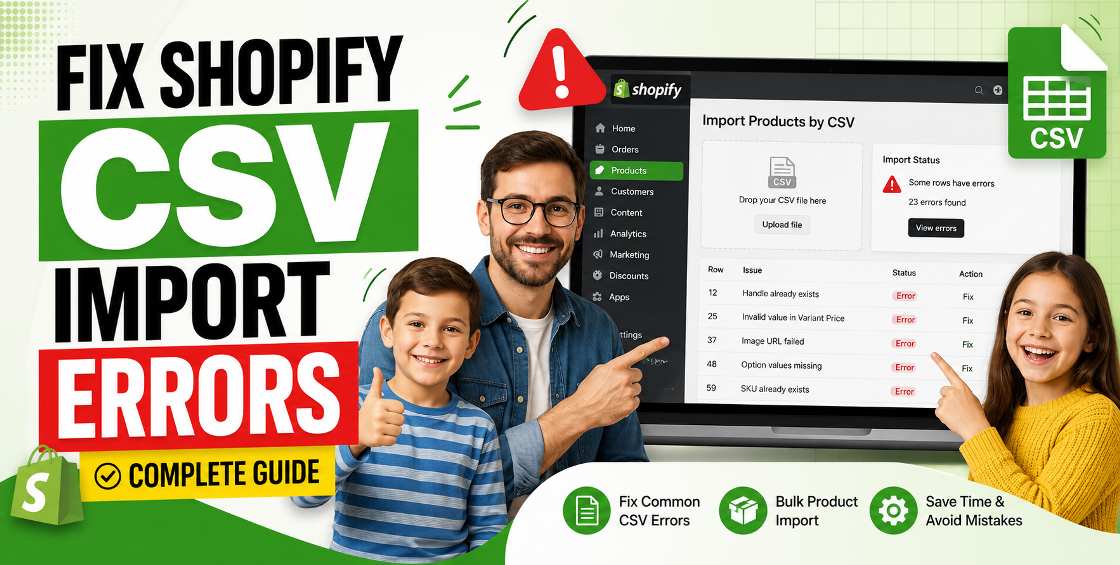
Running a Shopify store sounds simple until your product import fails five minutes before a launch.
You upload a CSV file expecting hundreds of products to go live, and suddenly Shopify throws errors like:
Now your catalog is half-uploaded, variants are broken, and your collections look messy.
If you’ve dealt with Shopify product imports before, you already know CSV issues can quietly create major store problems — especially for stores handling large inventories, multiple suppliers, or international product feeds.
In this guide, we’ll break down the most common Shopify CSV import errors, how to fix them properly, and how experienced Shopify teams prevent these problems before they happen.
Whether you’re managing 50 SKUs or 50,000, this guide will save you hours of cleanup.
Primary Keyword: Shopify CSV import errors
Secondary Keywords:
Semantic (LSI) Keywords:
Most CSV import issues happen because Shopify is extremely strict about data formatting.
A single misplaced column, hidden character, duplicate handle, or invalid variant value can trigger problems during import.
And here’s the frustrating part:
Sometimes Shopify imports the file partially without clearly explaining what broke.
We’ve seen stores upload 2,000 products successfully — only to realize later that:
That’s why experienced Shopify managers always validate CSV files before importing them.
This is one of the most common Shopify CSV import errors.
Every Shopify product needs a unique product handle.
Example:
If two products share the same handle, Shopify gets confused during import.
This usually happens when:
Open the CSV file and check the Handle column.
Make sure:
A quick Excel or Google Sheets duplicate check usually solves this.
We often see duplicate handles appear after bulk editing products from multiple suppliers. One supplier may use:
nike-air-max
while another feed imports:
nike air max
Shopify converts both into the same handle automatically.
Variant issues are extremely common in apparel, electronics, beauty, and furniture stores.
Shopify variants rely on a strict structure:
If one row is inconsistent, the entire product can break.
For example:
| Product | Size | Color |
|---|---|---|
| T-Shirt | Medium | Black |
| T-Shirt | Large |
That blank color field can cause import problems.
One of the biggest cleanup jobs we handle is variant repair after poorly structured imports. Stores often discover:
Fixing this manually inside Shopify admin becomes time-consuming very quickly.
This issue is more common than most store owners realize.
CSV files exported from:
often contain hidden formatting characters.
Google Sheets sometimes converts large SKU numbers into scientific notation:
8901234567891
becomes:
8.90E+12
This breaks inventory mapping instantly.
Nothing slows down a product launch faster than broken image imports.
Use:
Avoid:
We’ve seen large imports fail because image filenames contained spaces, brackets, or regional language characters.
Simple cleanup beforehand avoids hours of troubleshooting later.
A lot of store owners download random CSV templates that don’t match Shopify’s latest format.
This creates:
Always start with:
Then modify only required data.
This is especially risky for high-volume ecommerce stores.
Correct: 49.99
Incorrect: $49.99 or 49,99
After managing thousands of product uploads, one thing becomes clear:
Most CSV issues are preventable.
Always export existing products before import.
Warnings can cause duplicate products, SEO issues, and inventory mismatches.
Never test large imports during peak sales periods.
Risks include:
Small stores are simple. Large catalogs require strict control.
Some apps overwrite imported data after upload.
Shopify CSV imports look simple, but small mistakes can create major operational issues.
The good news is most errors are fixable when you understand structure, variants, formatting, and validation.
For growing ecommerce brands, a clean product upload process saves time, prevents inventory chaos, and keeps stores professional.
If you manage large catalogs or frequent imports, proper CSV handling becomes essential.
If you deal with:
Consider linking internally to:

Our Trusted Clients
















Our goal is to help our companies maintain achieve best class positions their respective industries & our team works occur that pleasures have to be repudiated.

Copyright © MyShopifyExpert . All rights reserved.